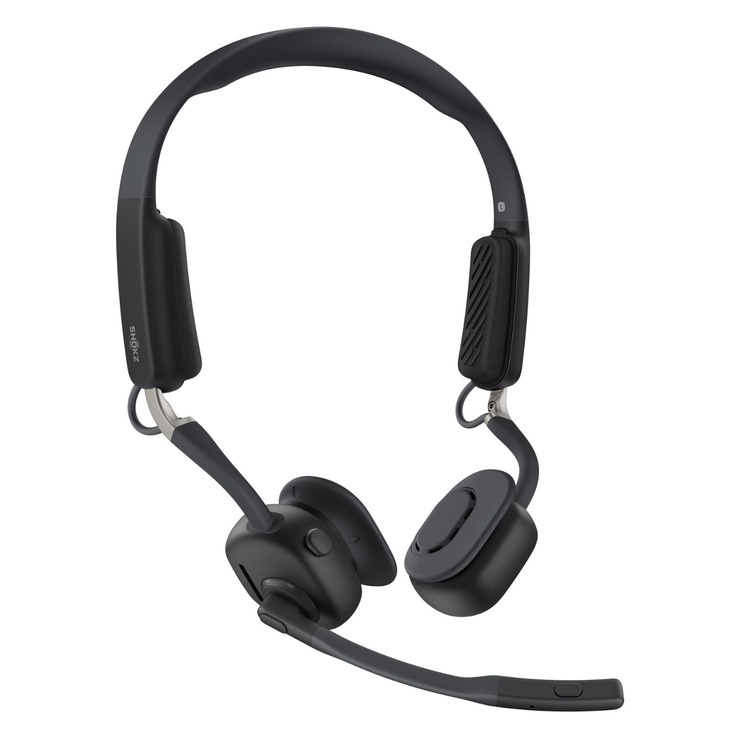
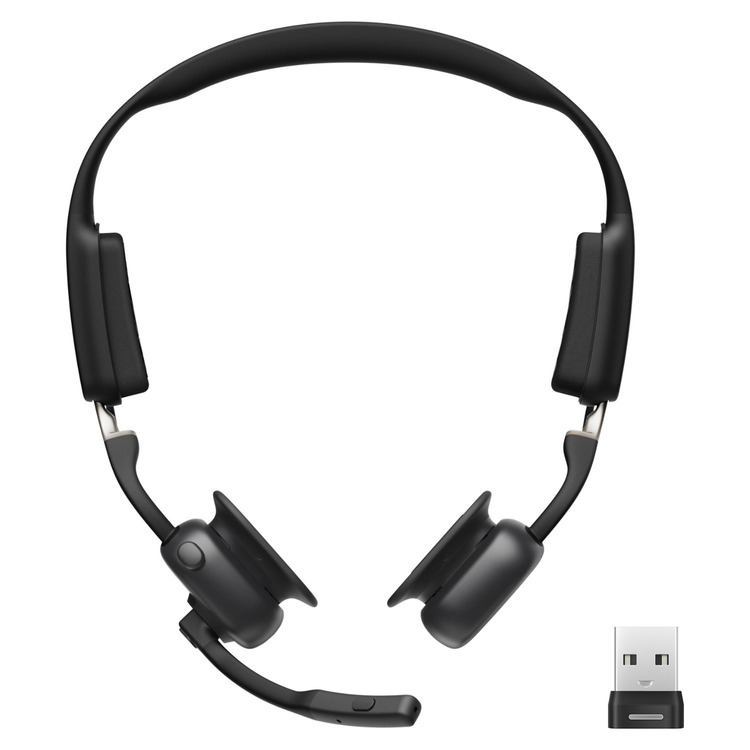


SHOKZ OpenMeet UC Bone Conduction Headset with choice of USB-A or USB-C Wireless Adapter
Code: 97C610A
-
VAT
Special price deal, limited stock available
Choose quantity and options
Order now for dispatch on Mon 20th Apr.
Description
Open-ear comfort. Pro-level clarity. Built for the modern workday.
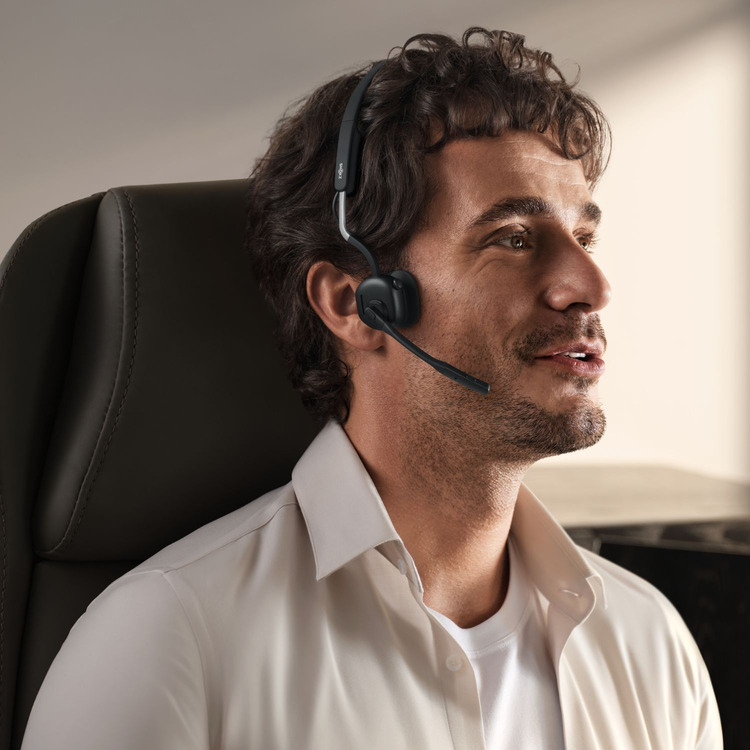
OpenMeet UC is the open-ear headset designed for hybrid and remote professionals. The dual-microphone setup with advanced noise reduction ensures your voice stays crisp, even in busy environments. Shokz’s unique combination of bone and air conduction delivers balanced, open-ear sound without blocking out the world. With multipoint pairing, you can connect to both your laptop and phone at once — and the dedicated call, mute, and volume controls let you manage conversations effortlessly.
- All-day comfort – Open-ear design with no earbuds or pressure on your ears
- Crystal-clear calls – Dual-mic system with noise reduction tech
- Open to the world – Hear your surroundings while staying fully engaged in meetings
- Clear, rich sound – Bone and air conduction combine for balanced, natural audio
- Discreet and immersive sound – Keep your calls private, even in shared spaces
- Fast charge and long lasting battery – Up to 15 hours' use, 5 mins charge = ~2 hrs talk
- Multi-device connection – Pair and switch between two devices seamlessly
- Ready for work – Plug-and-play Loop120 adapter for stable PC calls
- IP55 water-resistant – Protected against sweat and light rain
- Award-winning design – Recognised at CES® 2025 for innovation
Choose your version with USB-A or USB-C dongle today and take your professional communication to the next level.
While these headsets aren’t specifically designed for deaf or hard of hearing users, their bone conduction technology can be particularly effective for individuals with certain auditory disorders, such as those affecting the middle ear. The headphones work by transmitting sound vibrations through the bones of the skull directly to the inner ear, bypassing parts of the ear that may be blocked or not functioning correctly.
Details
Battery Life Up to 15 hours use / 14
hours talk
Fast Charging 5 mins = ~2 hrs talk time
Bluetooth v5.4 (range: ~30 m)
Weight ~78 g
Mic Dual with cVc noise cancellation
EQ Modes Standard / Vocal Boost
Water Resistance IP55-rated
Multipoint Pairing Yes (2 devices)
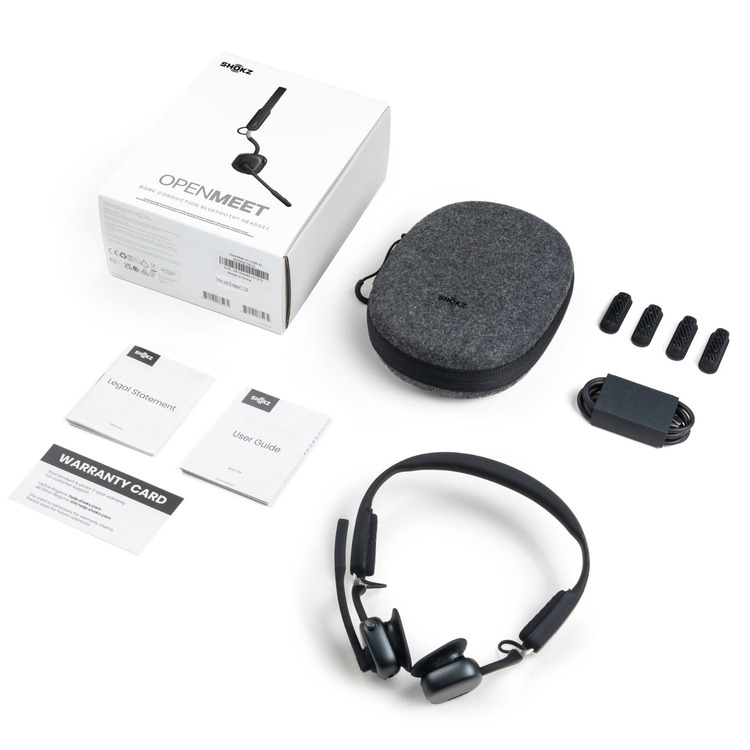
What’s in the box Headset, Loop120
adapter, case, cable, ear cushions
Help Centre
How do I pair OpenMeet UC with my PC?
Please follow these steps:
1. During the first pairing, the wireless adapter will
automatically enter pairing mode when plugged into the PC's USB
port. At this time, the adapter will flash red and blue lights
alternately.
2. Put the headset into pairing mode and bring it close to
the wireless adapter within 2 minutes.
3. When the headset successfully pair with the wireless
adapter, the adapter will display a solid cyan light.
To play music or take calls on the headset, please ensure the
“Loop120 by Shokz” is both identified as the default input and
output devices in your operating system’s audio settings.
How do I mute/unmute the microphone?
To mute the microphone, click the mute button once during the
call. The Loop120 will show solid red.
To unmute the microphone, click the mute button once during
the call.
How do I reset my wireless adapter?
You can go to the Shokz Connect to reset your wireless
adapter.
Resetting your wireless adapter will restore your device to
factory default settings and clear the Bluetooth pairing list.
The wireless adapter will restart, but your firmware version
will remain unchanged.





